Is OpenAI “Atlas” Mobile App Fake? How To Spot The Scam
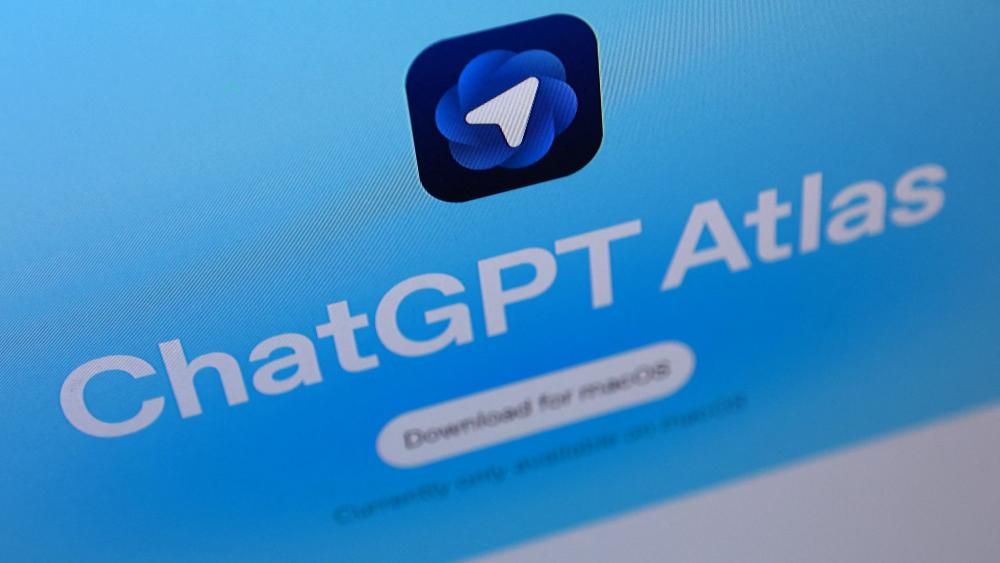
Having access to thousands of AI‑powered apps, one of the biggest dangers is the fake version of a trusted name. If you’ve seen a mobile app claiming to be ChatGPT “Atlas” or “OpenAI Atlas Browser”, this article will help you understand what is official, what is fake, and how falling for the wrong one could lead to serious scam consequences.
Table of Contents
What is the official OpenAI mobile app?
OpenAI has released an official mobile version of its ChatGPT chatbot. You can download the official app from the App Store (iOS) and Google Play (Android).
On the iOS version the app supports voice input, photo upload and synced history across devices.
So: if you find an app claiming to offer “OpenAI Atlas Browser” or “OpenAI Atlas Chat” that is not listed under developer “OpenAI” in the official store, that’s a red flag.
What versions are there and what does “Atlas” mean in this context?
- The official app is simply “ChatGPT” made by OpenAI.
- There is no widely announced product called “OpenAI Atlas Browser” or “OpenAI Atlas Mobile App” outside of legitimate channels.
- Sometimes app‑store impostors will mimic names like “Atlas for OpenAI”, “OpenAI Atlas Browser”, “AI Atlas Chat”, trying to look official.
Because of this confusion many users may end up installing unverified apps which could lead to credential theft, hidden fees, malware, or phishing.
This ties into the broader increase in AI‑scams: as we’ve documented, AI‑enabled fraud is rising dramatically. (See our deep stats on AI scams and facts.)
How fake apps are used by scammers?
These impostor apps can cause harm in many ways:
- They may ask for login credentials for your OpenAI or other accounts and then use those credentials for further fraud.
- They might require payment to “activate atlas features” and then deliver nothing.
- They may act as a phishing gateway: look like a browser, ask for personal/banking info, then steal. The rise of phishing and web‑based scams is well‑documented.
- They might install malware or track your device, exposing you to identity theft.
A similar tactic appears in the IG.me scam, where scammers impersonate Instagram’s login and verification pages to harvest personal data under the guise of security checks.
How to spot fake Atlas OpenAI and stay safe?
Here are clear checks you should perform before installing any app that claims to be “OpenAI Atlas” or similar:
- Check the developer name in the app store; it must say “OpenAI”.
- Read the reviews and number of downloads; official apps usually have large user counts (the ChatGPT app already has hundreds of millions of installs).
- Verify the app icon and name match what’s listed on the official OpenAI website.
- Avoid apps asking for excessive permissions or upfront payments outside the normal channels.
- When in doubt check how to verify a website or app’s legitimacy.
If you want guidance on how to check if a website or app is legit, we have a full guide you should read.
And if you suspect the app is part of a bigger scam campaign, you should also review how websites and apps are used in phishing and scam networks.
Why you must treat OpenAI Atlas Fake Apps seriously?
The risks are real: scammers are now using AI tools and fake apps to scale their fraud operations. This kind of threat overlaps with mobile‑app and browser scams which are part of broader AI‑fraud and phishing trends.
A perfect comparison is the Amazon recall text message scam, where cybercriminals impersonate Amazon to send fake product-recall messages that trick users into sharing sensitive data. Both schemes rely on trust in a well-known brand and urgency to push victims into quick action.
Victims of these fake app scams may experience: unauthorized payments, stolen credentials, identity theft, malware on their device, unwanted subscriptions, or being drawn into pocket‑phishing schemes.
The best defence is awareness and verification. As with any suspicious message or prompt you receive, treat it as potentially fraudulent until proven legitimate. Many scams now exploit urgency, trust, and AI‑powered manipulation which makes the trick harder to spot.
What to do if you’ve installed a fake app?
- Immediately uninstall the app and revoke permissions/uninstall providers.
- Change passwords for any account you entered in the app. Enable multi‑factor authentication.
- Monitor your accounts (banking, credit, devices) for any signs of unauthorized activity.
- Consider installing legitimate security software or checking your device for malware.
- Educate others (family, friends) about the risk of fake apps, especially since so many scams now rely on trust and authority impersonation.
There are full guides on how to avoid site‑based scam threats and phishing that you should review. There are full guides on how to avoid site‑based scam threats and phishing that you should review.
Final word
There is an official OpenAI mobile app (ChatGPT) and there is no widely trusted “Atlas” version released outside official channels. If you see any other “OpenAI Atlas” mobile app or browser, treat it as highly suspect.
Using the wrong one could expose you to the same vulnerabilities fueling the latest wave of AI‑fraud, phishing and mobile‑app scams. Take a moment now to verify before installing, and stay ahead of scammers by understanding their methods.
You won’t regret pausing and checking – because the price of getting it wrong could be your sensitive data, money or identity.
Is there an official “OpenAI Atlas” mobile app?
No. The only verified mobile app from OpenAI is the official ChatGPT application found on the Apple App Store and Google Play under the developer name “OpenAI”. Any app claiming “Atlas” in its name or branding but not matching that developer listing should be treated with suspicion.
How do I know if a mobile app claiming to be “OpenAI Atlas” is fake?
Check three things: the developer’s name (must be OpenAI), the download/install numbers and user reviews (genuine apps show large credible volumes), and the permissions/requests the app makes. If the app asks for unusual permissions, upfront payments or claims “Atlas browser” features not described by OpenAI itself, it’s likely a fake.
What risks do I face if I install a fake “Atlas” or AI‑browser app?
Installing a fake app can lead to credential theft, unauthorized charges, malware installation, phishing of your personal or financial data, or even device takeover. These dangers mirror the broader surge in AI‑enabled fraud, phishing and fake web‑based scams that exploit trust and impersonation.
Can impostor apps still use OpenAI’s API and look like the real thing?
Yes, they can. Some apps plug into OpenAI’s public API or other models but still masquerade as “official”. That does not make them safe – they may mislead you about data collection, billing practices, or exposure of personal content. Being “API‑powered” is not proof of legitimacy.
What steps should I take if I suspect I downloaded a fake AI app?
Immediately uninstall the app, revoke any permissions or account linkages it created, change passwords for any associated accounts, enable multi‐factor authentication (MFA), monitor your bank/credit activity for unusual charges, and avoid reinstalling any variant of the app. Also remain alert to similar phishing or fake‑app campaigns going forward.

0 Comments