Is Service@paypal.com Legit Or Scam? How to Verify Guide
If you’ve recently received an alarming email or text from service@paypal.com claiming there’s “suspicious activity,” “a payment hold,” or “unauthorized login detected,” you might wonder whether it’s real or a phishing attempt.
This comprehensive guide reveals how the service@paypal.com scam operates, how to verify legitimate PayPal messages, what real scam examples look like, and how to protect your personal data from fraudsters who exploit trust in one of the world’s most recognized payment platforms.
Cybercriminals exploit the trusted service@paypal.com address to create fake emails and texts that appear authentic. The scam’s objective is to make you panic and click a malicious link that steals your login credentials or infects your device.
The message warns that your account has been suspended or a transaction was made.
It provides a link to “verify” your information.
The link opens a fake PayPal login page that looks identical to the real one.
When you sign in, scammers collect your credentials and access your funds.
This phishing method mirrors the one used in the Geek Squad email scam, where victims are told they were charged for fake subscriptions and must “cancel immediately.”
A similar impersonation pattern is used in the IG.me scam, where fake Instagram messages and login prompts are crafted to steal credentials under the pretense of account verification or security alerts.
Why Scammers Target PayPal?
PayPal’s massive user base makes it an irresistible target. Scammers know that even a small percentage of responses to fake alerts can result in thousands of stolen accounts.
They also know that service@paypal.com is PayPal’s real email domain, so when they spoof it, users instinctively trust it. The difference is subtle: one letter changed, a hidden domain variation, or a cloned logo can trick even cautious users.
Below are authentic samples of PayPal scam messages and visual examples you can upload to your article to help readers recognize them.
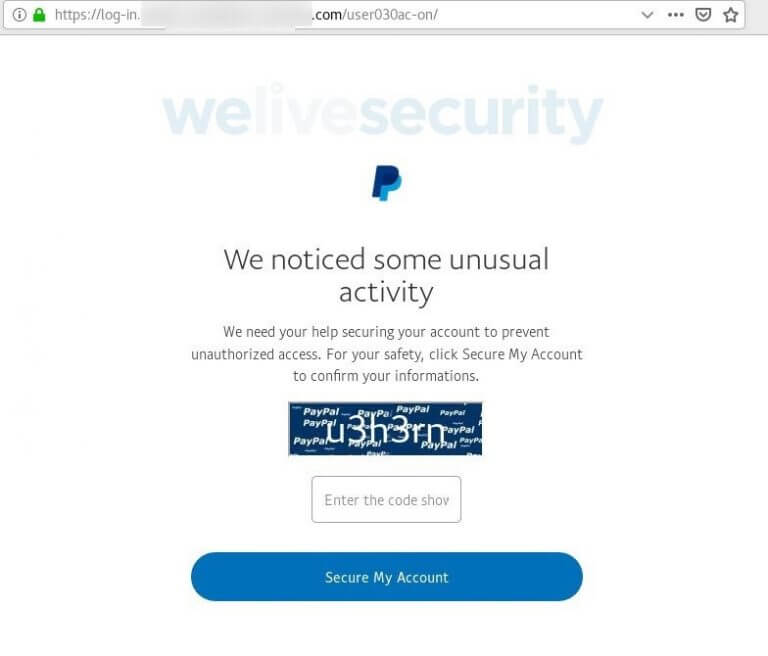
Example 1: “Unusual Login Attempt Detected”
“We noticed a login from an unrecognized device. For your security, please verify your identity by clicking the link below.”
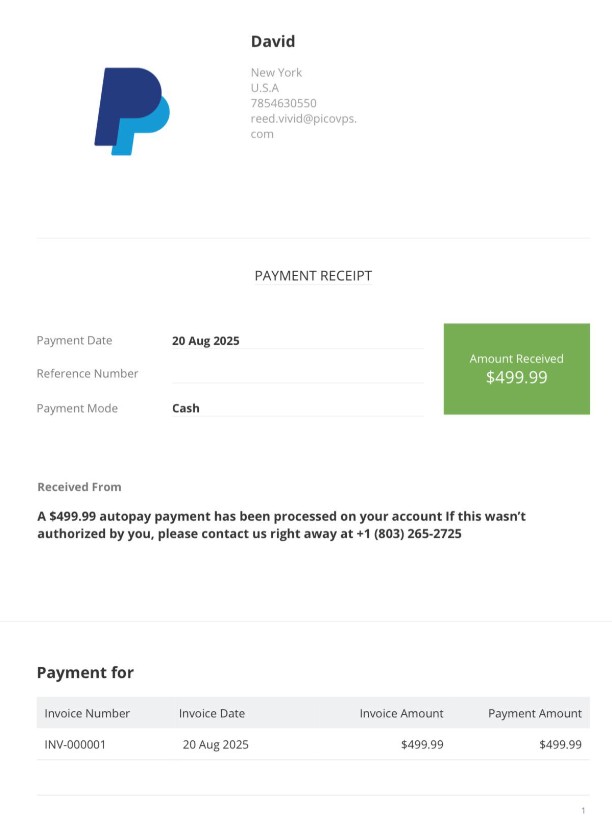
Example 2: “Payment Authorized for $499.99”
“A payment of $499.99 to XYZ has been processed on your account” (or any other variation)
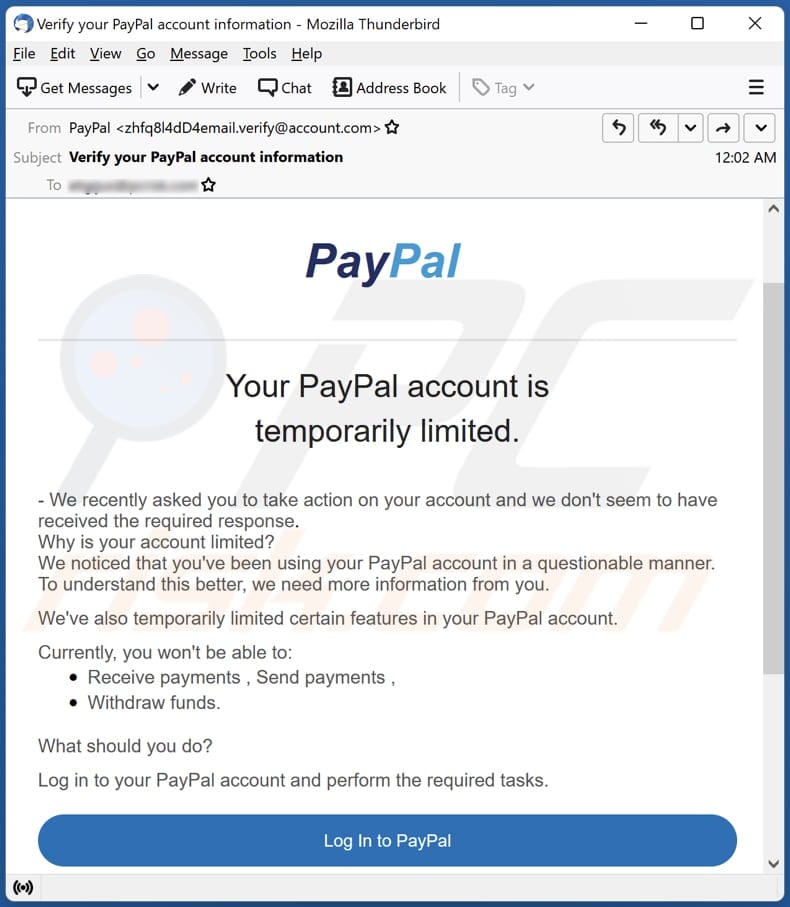
Example 3: “Your Account Has Been Limited”
“Your PayPal account has been limited due to unusual activity. Confirm your account information to restore access.”
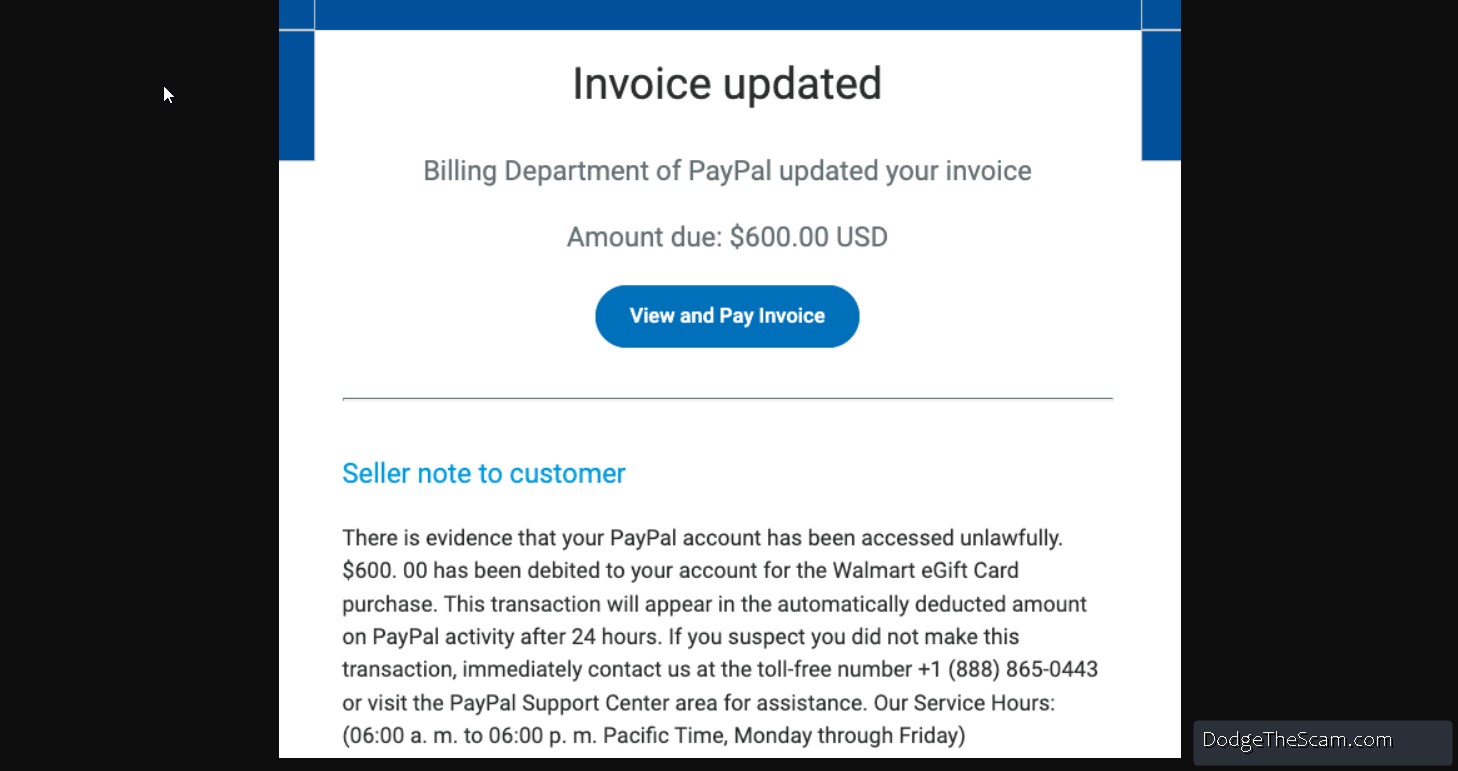
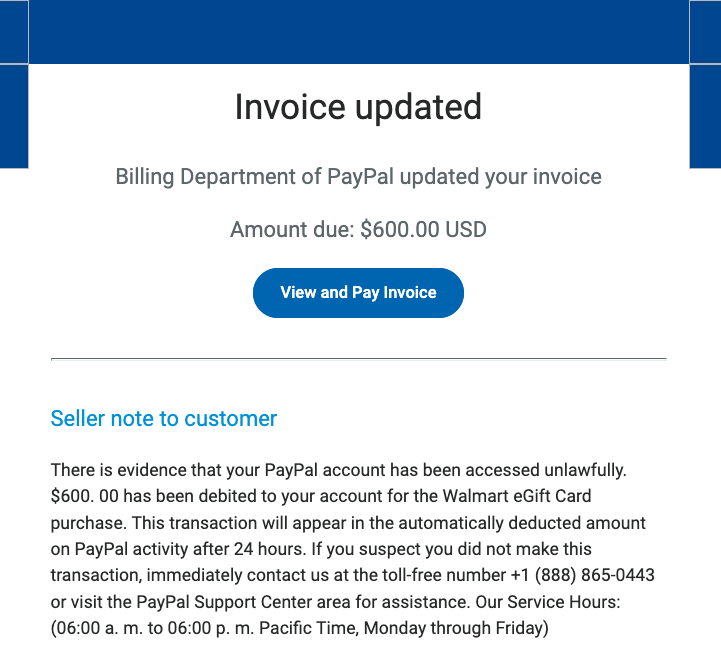
Example 4: “Invoice Updated”
“Billing Department of Paypal updated your invoice.”
These emails are designed to look visually identical to real PayPal templates. Many even include fake transaction IDs, official-looking footers, and copyright notices.
What Real PayPal Messages Look Like?
Legitimate PayPal emails always follow a consistent, professional format:
The email never requests credit card or banking details directly.
Links always begin with https://www.paypal.com/ and are encrypted.
There are no attachments or requests for downloads.
To confirm a message’s legitimacy, log in manually at PayPal.com. Never click a link in an email or text.
This verification routine is also effective in avoiding fake alerts like those seen in the WhatsApp Gold scam, which similarly rely on urgency and social engineering.
Delete the message: Do not reply, click, or download attachments.
For text messages, legitimate PayPal SMS updates always come from short codes, never from personal numbers. If you get a suspicious text, treat it the same way as the UPS Ground text scam: avoid links and verify manually.
How Scammers Combine Email, Text, and Phone?
Modern scams blur the lines between communication channels. After sending you a fake email, scammers might follow up with a phone call pretending to be “PayPal support.”
A common pattern looks like this:
Step 1: You receive a fake PayPal invoice via email.
Step 2: The message instructs you to call a “customer service number.”
Step 3: A scammer posing as an agent asks for remote access or personal info.
Step 4: Your funds or credentials are stolen.
This hybrid attack style mixes phishing, smishing, and vishing. The same cross-channel scam logic also appears in Comcast scam calls offering fake discounts, where callers follow up texts or emails with spoofed phone calls to create pressure and build trust.
What To Do If You Clicked a Fake PayPal Link?
If you accidentally clicked or entered information on a fake PayPal page:
Change your PayPal password immediately.
Enable two-factor authentication.
Run a malware scan to remove any tracking scripts.
Check your transaction history for unauthorized activity.
Contact your bank or credit card company to block potential charges.
If your device shows pop-ups or strange redirects afterward, follow the same cleaning steps outlined in the Fuq.coldfootage.com removal guide to restore your browser.
How to Protect Yourself from PayPal Phishing Scams?
To reduce your risk of future attacks, practice these safety measures:
Type PayPal.com manually into your browser instead of clicking links.
Enable spam filters on your email and phone.
Use unique passwords for each account.
Keep software updated to patch security vulnerabilities.
Educate your family about phishing signs.
Never share verification codes from texts or emails.
The same digital hygiene principles apply across all scam types, from spoofed delivery messages to cloned payment emails.
Common service@paypal.com Scam Fake Message Subject Lines
Be cautious of emails with these subject lines, as they commonly appear in phishing campaigns:
“Suspicious login attempt from Chrome browser.”
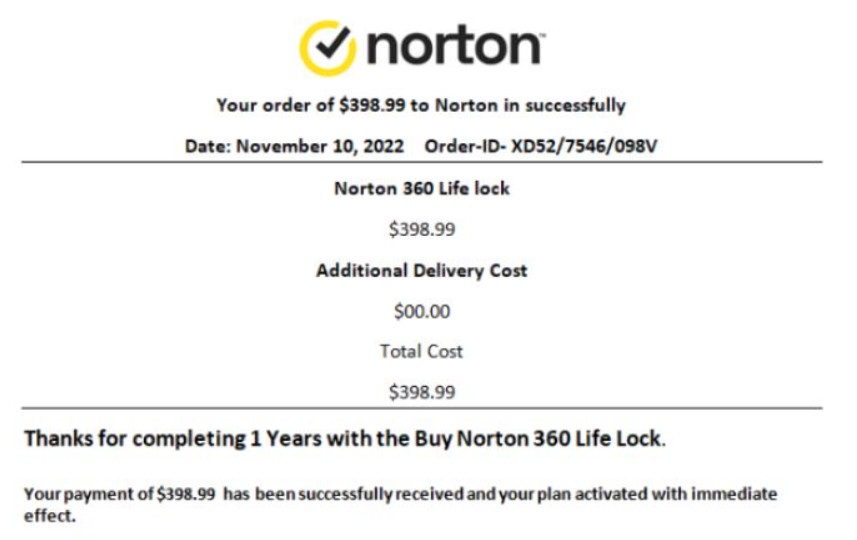
“Payment of $499.99 to Norton confirmed.”
“Your PayPal account has been limited.”
“Unusual activity detected.”
“Transaction on hold – verify immediately.”
They’re structured to spark urgency, just like the emotional hooks in the UPS Ground text scam or WhatsApp Gold hoax, all relying on the same psychological formula: urgency + authority = compliance.
Real SMS Scam Examples (for Upload)
Scammers also use texts pretending to be PayPal. Here are examples with visuals you can upload to your gallery or awareness section:
Example 1:
“PayPal: Your account is on hold due to unusual activity. Visit paypalhelp-secure.com to verify now.”
Example 2:
“We noticed a login from a new device. Confirm immediately to avoid account suspension.”
Example 3:
“PayPal: Transaction pending for $89.99. Tap to cancel immediately.”
How Big Is This Scam Problem?
Phishing attacks impersonating PayPal now account for millions of fake emails monthly. The service@paypal.com scam is especially dangerous because it blends technical realism with emotional manipulation.
Like the 705 area code spoofing scam, these operations rely on automation, VoIP systems, and mass targeting. Once you interact with one fake message, your details are often sold to other fraud groups, leading to even more scam attempts.
By learning to identify fake PayPal communications, you’ll not only protect your funds but also help disrupt the global phishing ecosystem described in the Phishing exhaustive guide.